AI features
This is the biggest difference between the two apps.
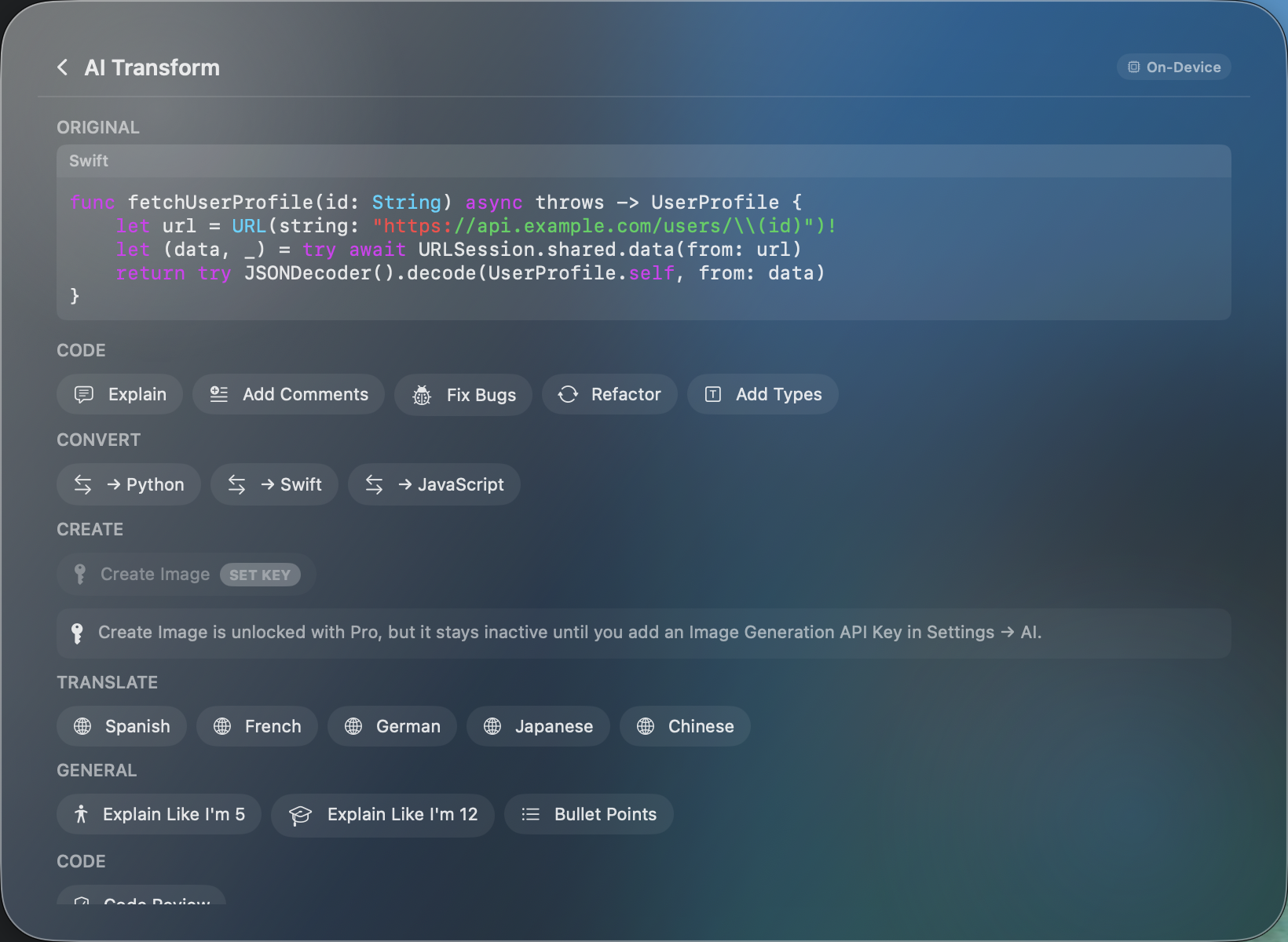
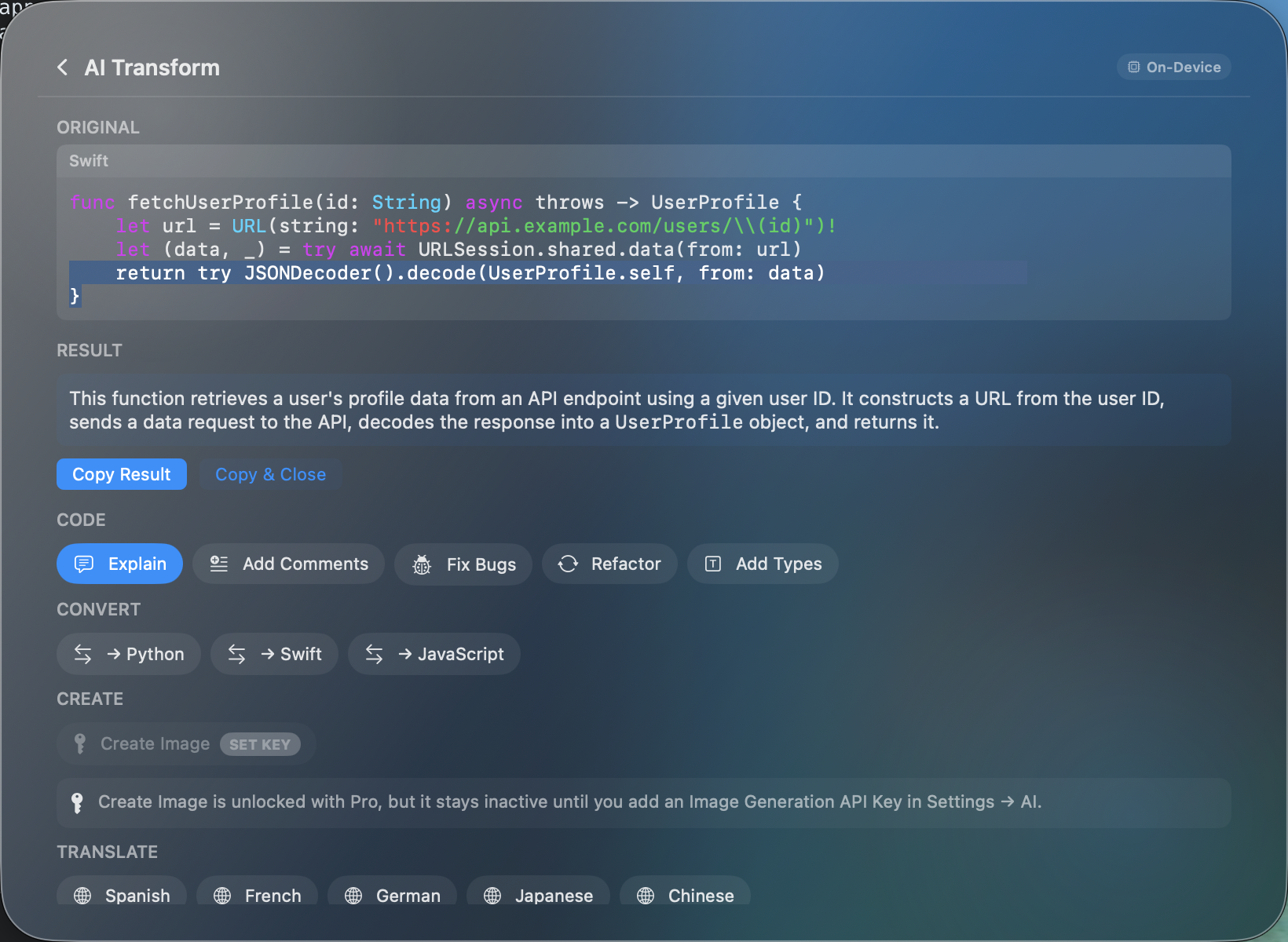
SnipSnapp treats AI transforms as a core feature. Copy some text or code, and you can immediately summarize it, rewrite it in a different tone, translate it, fix grammar, explain code, convert between programming languages, and more. The default transforms run on-device via Apple Intelligence — free, no API key, no data leaves your Mac. If you want more power, Pro lets you bring your own API keys from Anthropic, OpenAI, Google, xAI, or OpenRouter and route transforms through frontier models.
Paste added Apple Intelligence integration in late 2025 with Paste 6, but it's focused on OCR (searching text within copied images) and smarter suggestions rather than active text transforms. You can't ask Paste to rewrite, translate, or summarize a clipboard item the way you can in SnipSnapp. If your main interest is AI-powered transforms, SnipSnapp is the clear pick here.
Pricing
SnipSnapp is free with unlimited on-device AI transforms, full clipboard history, search, smart detection. Pro is a one-time $19.99 purchase that adds cloud AI providers (bring your own keys), iCloud sync, and cross-device relay. No subscription, no recurring charges.
Paste costs $29.99/year or $2.49/month with a free trial. It's also available through Setapp ($8.99+/month for a bundle of 250+ apps). There's a lifetime option, though the exact price isn't always listed.
Over two years, Paste's subscription costs ~$60 vs SnipSnapp Pro's one-time $19.99. If you're already paying for Setapp and use other apps in the bundle, Paste through Setapp can make sense. If you're just looking for a clipboard manager, SnipSnapp is significantly cheaper long-term.
Sync
Both apps sync via iCloud across Mac, iPhone, and iPad. Paste includes sync at every tier. SnipSnapp gates sync behind Pro ($19.99 one-time).
If cross-device sync is essential and you don't want to pay anything, Paste's free trial period gives you sync — but you'll eventually need the subscription. SnipSnapp's free tier is local-only; pay once for Pro and sync is yours permanently.
Search
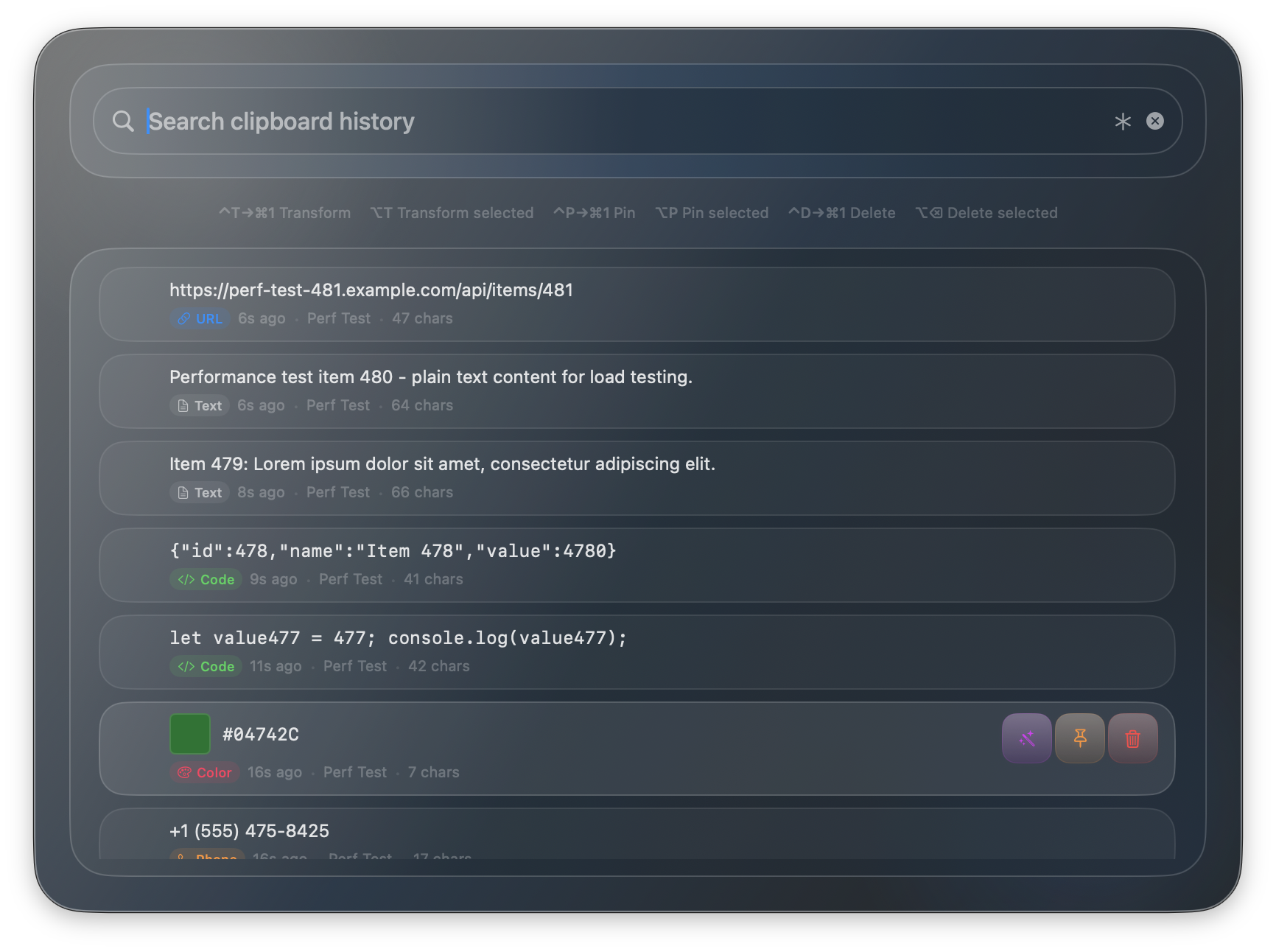
SnipSnapp has full-text search, regex support, and a dedicated Quick Search window (⌘⌥V) that works like Spotlight for your clipboard. You can filter by content type (code, URLs, emails, colors, etc.) and date range.
Paste has solid full-text search and added OCR search in Paste 6 — meaning you can find text inside copied images. If you frequently copy screenshots or images with text, Paste's OCR search is a strong feature. SnipSnapp also supports searching text inside images.
Where Paste is better
- • Visual UI. Paste has a visual interface focused on scrolling through images, screenshots, and rich content. SnipSnapp is more text-focused and functional.
- • Team features. Shared Pinboards let you share curated clip collections with a team. SnipSnapp is single-user only.
- • Track record. Paste has been around longer and has a larger user base. More battle-tested.
Where SnipSnapp is better
- • AI transforms. Dozens of built-in transforms (summarize, translate, rewrite, code explain/refactor/convert) powered by on-device AI — free, no API key required. Paste doesn't offer active text transforms.
- • Pricing. Free tier has no time limit. Pro is $19.99 once vs $30/year recurring. Over time the gap widens significantly.
- • Code detection. Auto-detects 21 programming languages and offers code-specific transforms (explain, refactor, convert between languages). Developers get more out of SnipSnapp.
- • Privacy by default. Local-only storage with on-device AI. Nothing touches the cloud unless you explicitly opt in. Paste syncs via iCloud by default.
- • BYOK cloud AI. Bring your own API keys from Anthropic, OpenAI, Google, xAI, or OpenRouter. Use frontier models when on-device isn't enough. Paste doesn't support custom AI providers.