SnipSnapp vs Maccy

Both are lightweight, keyboard-driven clipboard managers for Mac. Maccy is open-source and minimal. SnipSnapp adds AI transforms and cross-device sync. Here's the honest breakdown.

Quick comparison

SnipSnapp Maccy
Price Free + $19.99 lifetime Pro Free (open source)
AI transforms On-device AI (free) + BYOK cloud AI (Pro) None
Sync iCloud (Pro) None
Platforms Mac, iPhone, iPad Mac only
Content detection 21 code languages, URLs, emails, colors, etc. Basic (text, images)
Search Full-text + regex + Quick Search window Fuzzy search
Open source No Yes (MIT)
Memory footprint Lightweight Very lightweight

Who each app is for

Pick SnipSnapp if you…

  • Want to do something with your clipboard beyond just storing it (AI transforms, code formatting, translation)
  • Need clipboard sync across Mac, iPhone, and iPad
  • Work with code and want auto-detection of languages and code-specific tools
  • Want regex search, content type filtering, and pinning

Pick Maccy if you…

  • Want the simplest possible clipboard history with nothing extra
  • Prefer open-source software
  • Don't need AI, sync, or mobile support
  • Want the absolute smallest memory footprint

The core difference

Maccy does one thing and does it well: it keeps your copy history and lets you access it fast. That's it. No AI, no sync, no mobile app, no content detection beyond basic types. It's intentionally minimal.

SnipSnapp starts from the same place (clipboard history + fast access) but adds a layer on top: AI transforms, smart content detection, cross-device sync, and mobile companion apps. If Maccy feels like it's missing features you wish it had, SnipSnapp is probably the next step up. If Maccy feels like exactly the right amount of tool, it probably is.
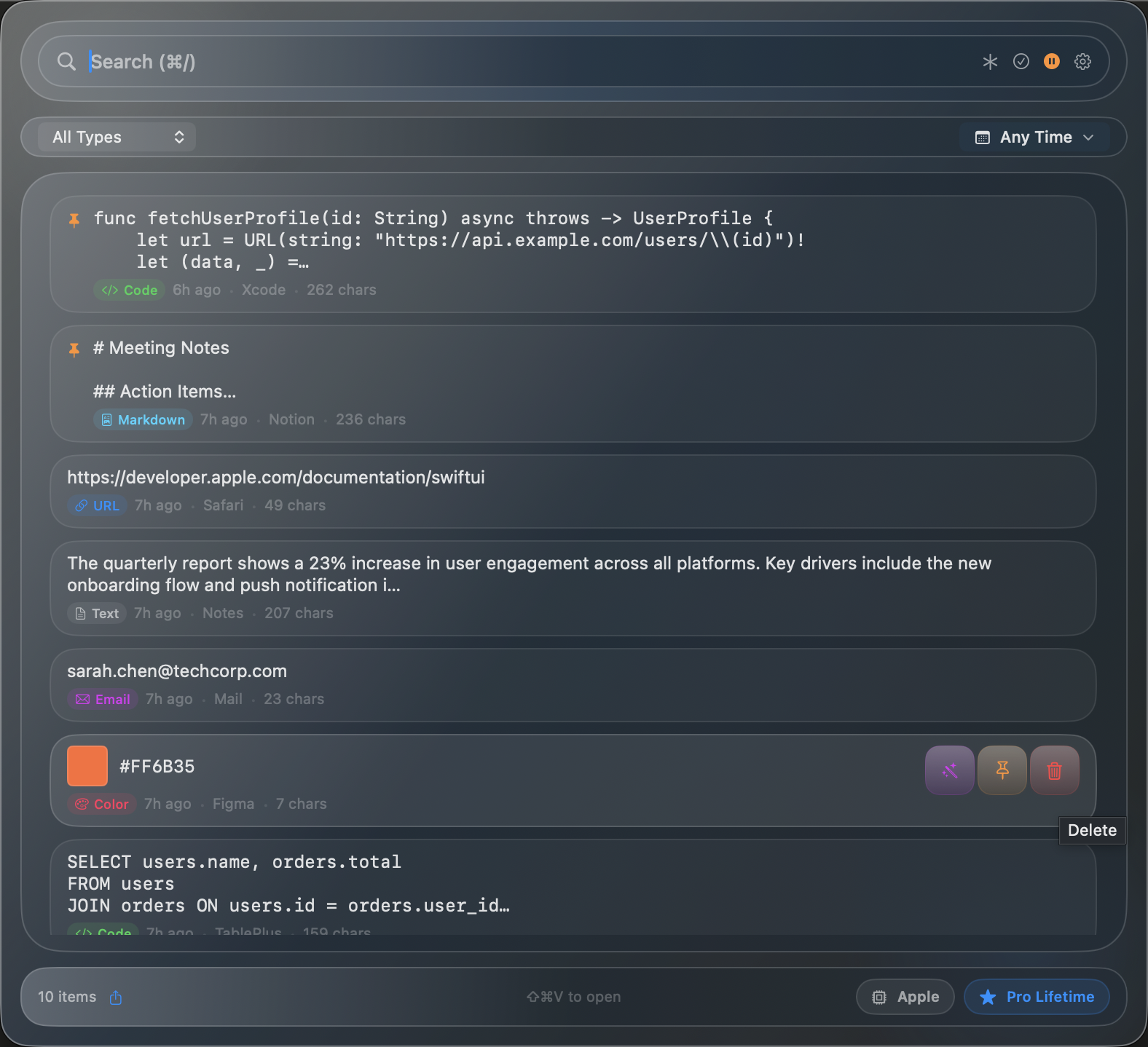
SnipSnapp clipboard history panel showing content types and smart detection
SnipSnapp's history panel with smart content detection

AI transforms

Maccy: None. By design. It's a clipboard history tool, not a text processing tool.

SnipSnapp: Dozens of built-in transforms — summarize, translate, rewrite, fix grammar, explain code, refactor, convert between programming languages. On-device AI is free on Apple Silicon Macs running macOS 26+. Pro adds cloud AI providers (bring your own API keys) for access to frontier models.
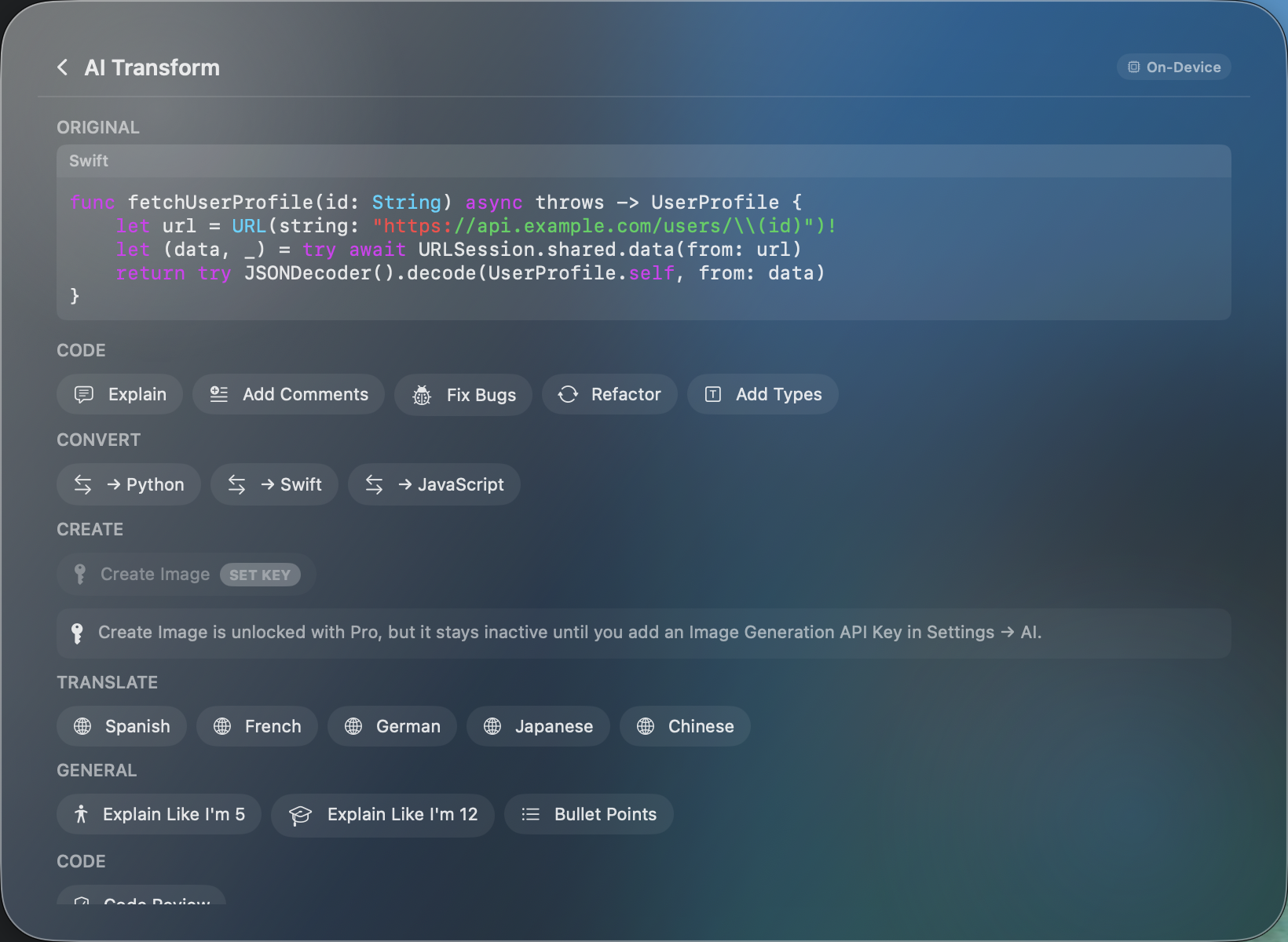
SnipSnapp AI transform picker
AI transform picker
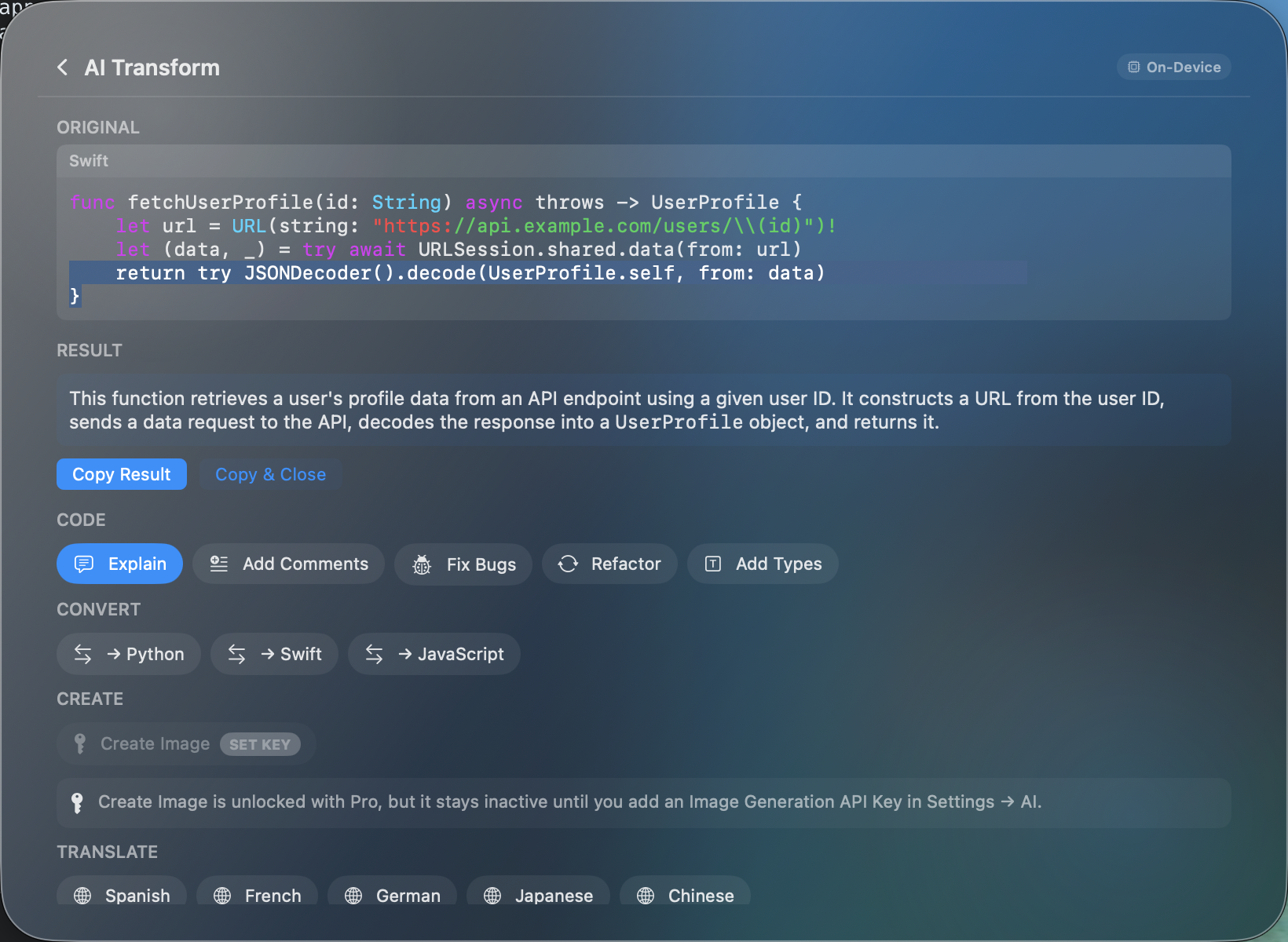
SnipSnapp AI code explanation result
AI-generated code explanation

Pricing

Maccy is free and open source (MIT license). You can download it from GitHub or the Mac App Store.

SnipSnapp's free tier covers clipboard history, search, smart detection, and on-device AI transforms. Pro ($19.99 one-time) adds cloud AI, iCloud sync, and cross-device relay. If you don't need AI or sync, Maccy costs nothing. If you want those features, SnipSnapp Pro is a one-time cost with no subscription.

Where Maccy is better

  • Open source. Source code is available on GitHub under MIT license.
  • Simplicity. Minimal UI with few settings. No AI or sync to configure.
  • Completely free. No paid tier, no upsell, no limitations. Everything it does, it does for free.
  • Tiny footprint. Maccy has a small memory footprint.

Where SnipSnapp is better

  • AI transforms. Summarize, translate, rewrite, code transforms — all free on-device. Maccy doesn't do any text processing.
  • Cross-device sync. iCloud sync across Mac, iPhone, and iPad (Pro). Maccy is Mac-only with no sync.
  • Smart content detection. Auto-detects 21 programming languages, URLs, emails, phone numbers, hex colors, JSON, SQL, markdown. Maccy treats everything as generic text.
  • Advanced search. Regex support, content type filtering, date filtering, Quick Search window. Maccy has fuzzy search.
  • Mobile. iPhone and iPad companion apps. Maccy is Mac-only.

Common questions

Can I import my Maccy history into SnipSnapp?
Not currently. SnipSnapp doesn't import from Maccy yet. You'd start fresh. We're considering import tools for a future release.
Is SnipSnapp as fast as Maccy?
For basic clipboard recall, both are fast. Maccy has a smaller footprint since it does less. SnipSnapp's Quick Search and history browsing are snappy, but the AI transforms take a moment to process (on-device AI runs in about 1-3 seconds for short text). If raw speed on basic copy-paste recall is your only concern, Maccy is fast.
Should I switch from Maccy to SnipSnapp?
If Maccy does everything you need, there's no reason to switch — there's no need to switch. SnipSnapp makes sense if you've been wishing Maccy had AI transforms, sync across devices, or smarter content detection. The free tier covers everything Maccy does plus AI, so you can try it without committing.
Also compare: SnipSnapp vs Paste · Best Clipboard Managers 2026

Try SnipSnapp free

Full clipboard history and on-device AI transforms included. No account required.