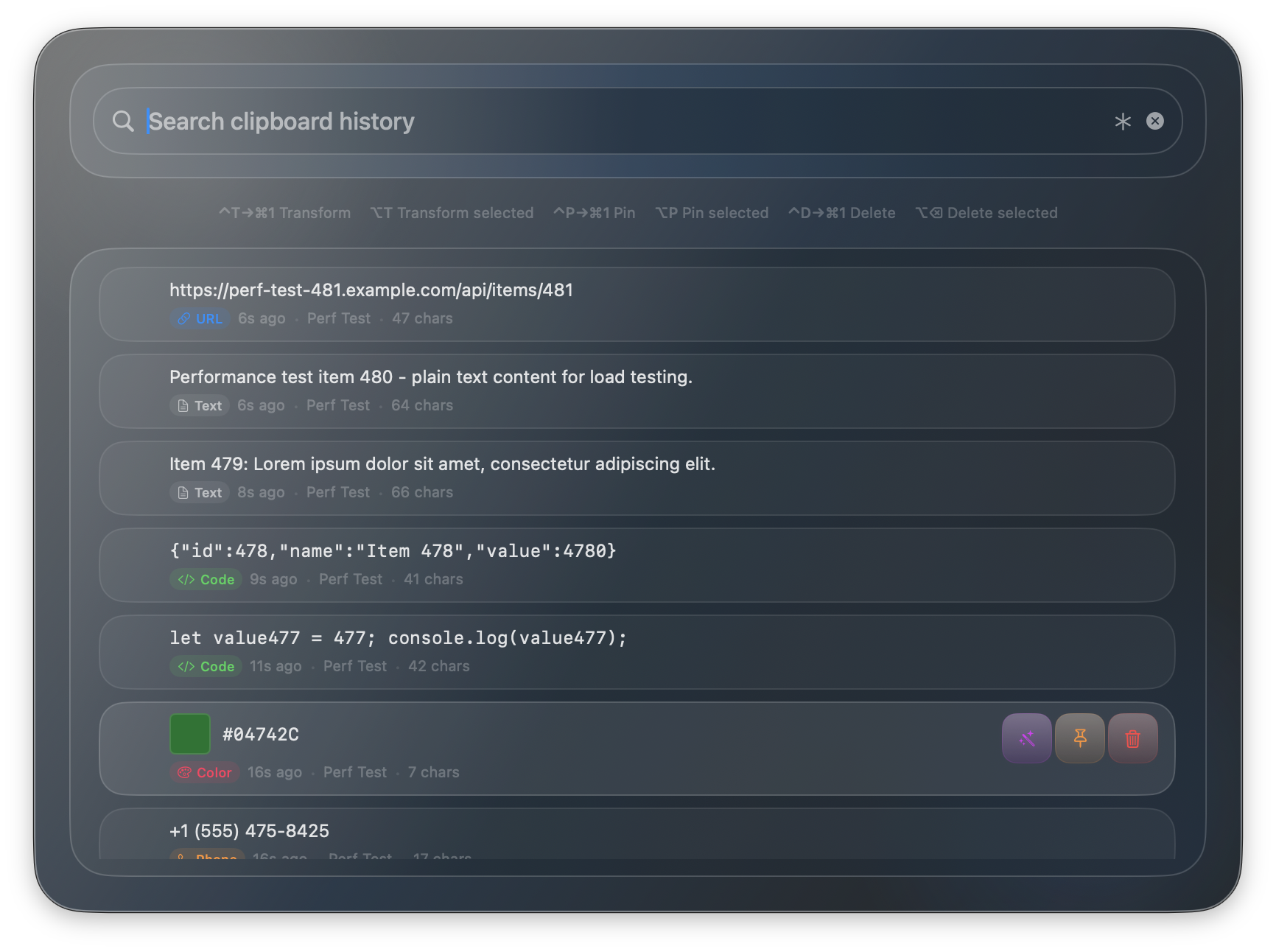
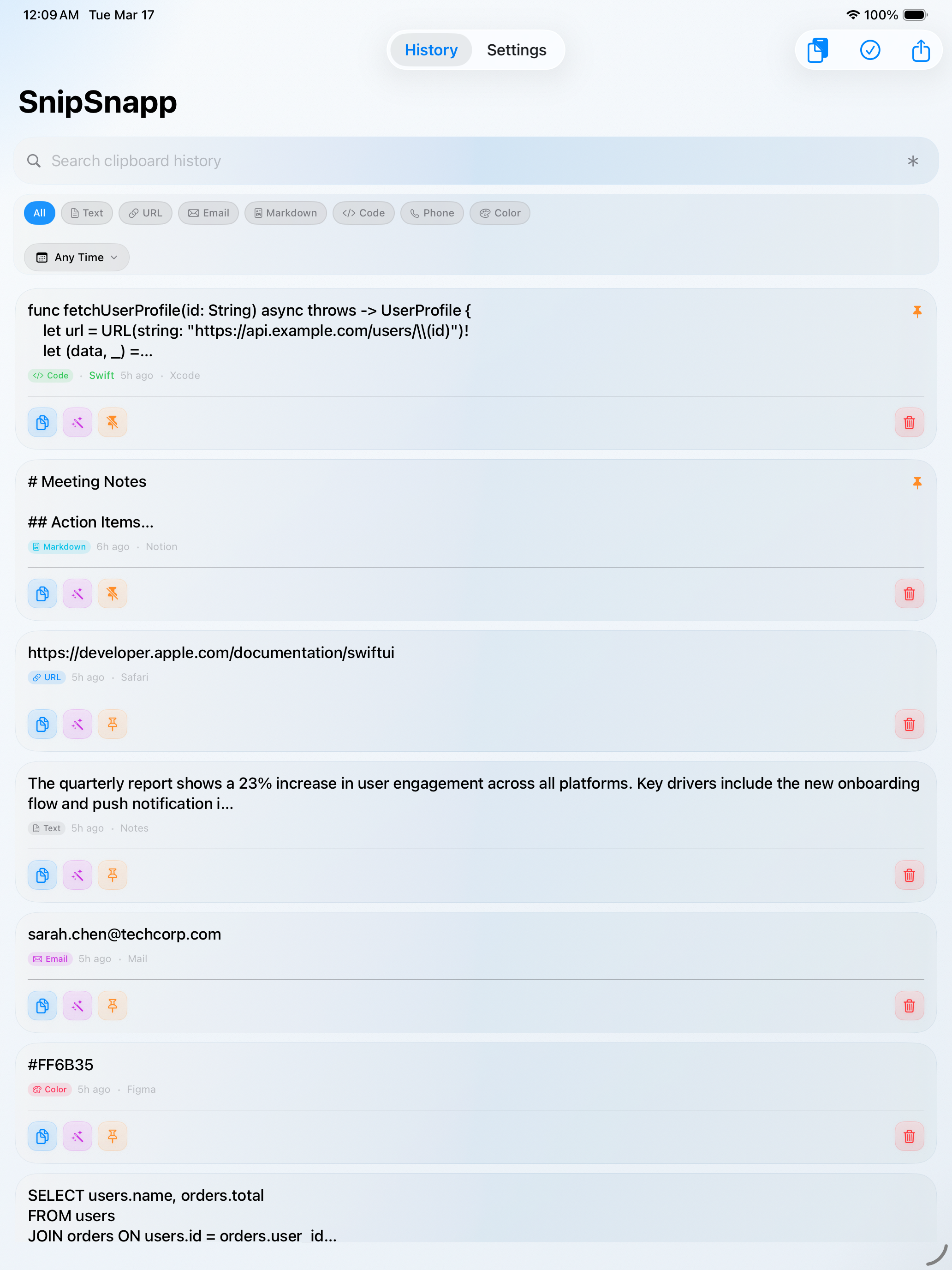
SnipSnapp keeps your clipboard history close at hand and transforms it with AI. On Mac it can automatically capture what you copy; on iPhone and iPad it works as a companion app. Use free on-device AI for text transforms, or bring your own API keys to connect cloud providers like Claude, GPT, Gemini, and Grok for cloud text transforms and image generation on supported providers.
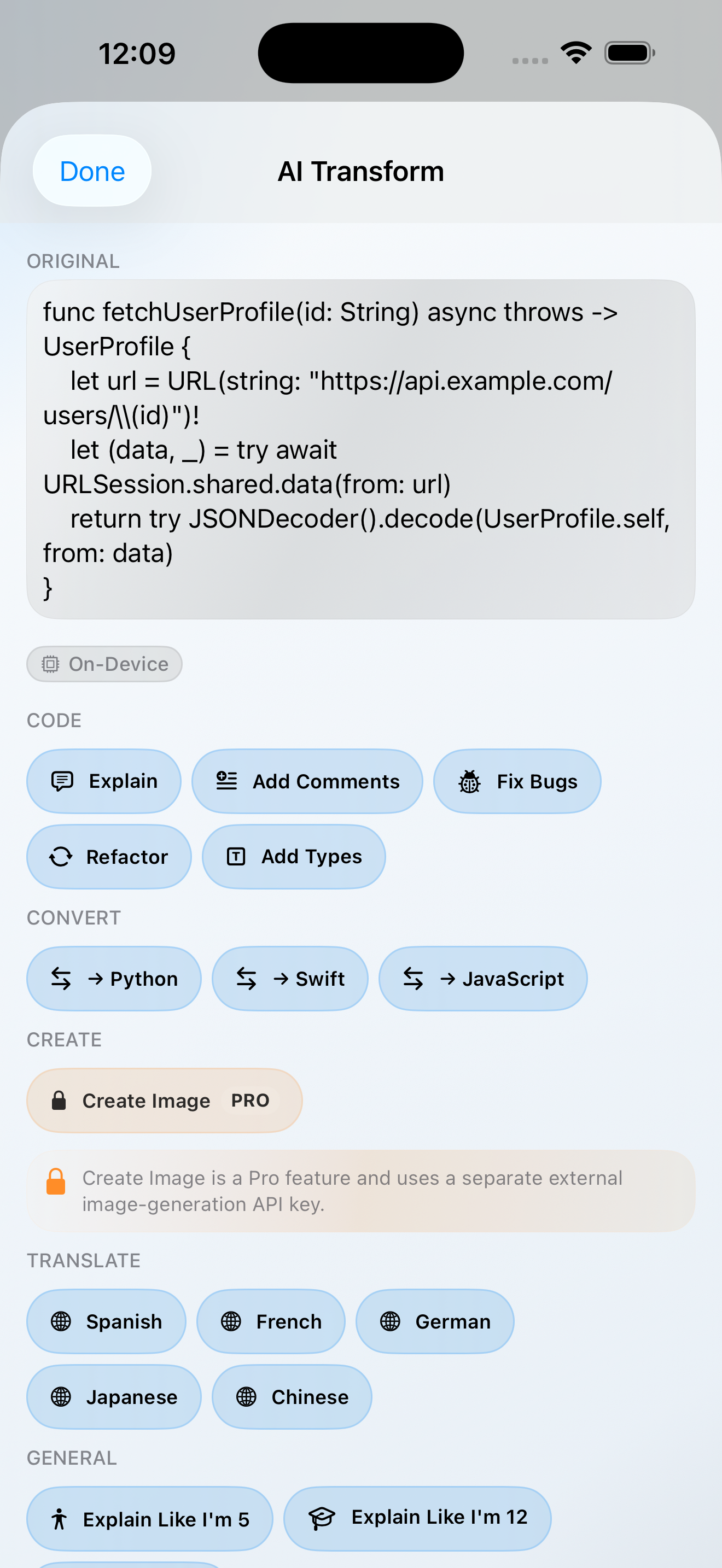
On-device AI keeps everything local. Want more power? Connect cloud AI providers with your own keys — the choice is always yours.
On-device AI runs locally without cloud round-trips. Bring your own API keys to use Claude, GPT, Gemini, or Grok when you want more power.
On-device AI is free and unlimited. Pro unlocks BYOK cloud AI — bring your own API keys from Anthropic, OpenAI, Google, xAI, or OpenRouter. You pay providers directly at their rates.
Three steps. Quick setup. No separate SnipSnapp account.
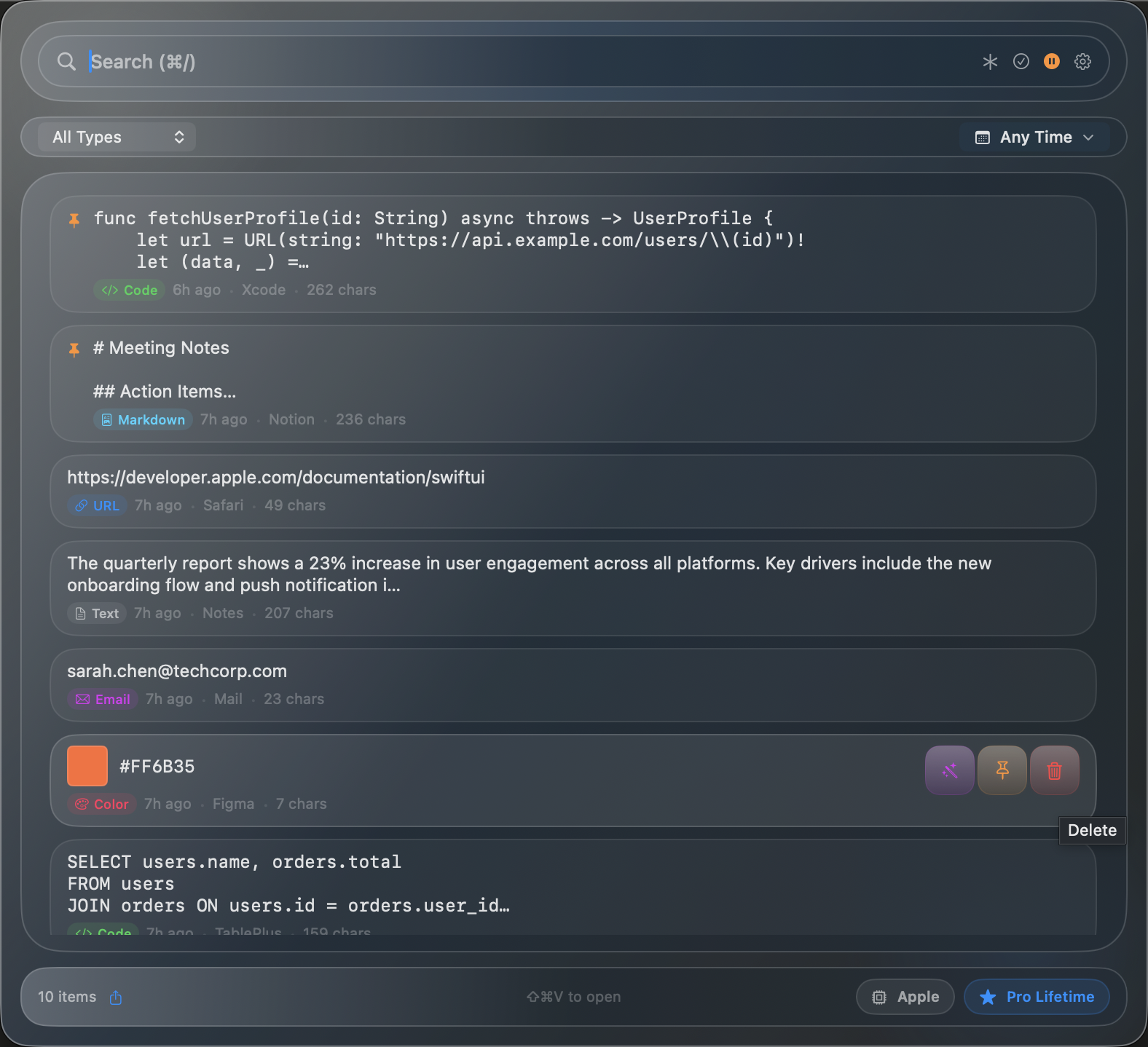
On Mac, SnipSnapp can automatically capture what you copy — text, code, URLs, colors, emails, phone numbers, and more.
Press ⌘⇧V for the menu bar or ⌘⌥V for Quick Search. Filter by type, search by content, or just scroll.
Summarize, translate, rewrite, explain code, fix grammar — dozens of built-in transforms powered by on-device AI or your own cloud API keys.
Copy anything. Transform it with on-device AI for free, or bring your own API keys for cloud AI. SnipSnapp detects what you copied and offers the right tools.
Change tone to casual, formal, or professional. Fix grammar and spelling instantly.
Translate to Spanish, French, German, Japanese, or Chinese in one click.
Explain, refactor, fix bugs, add comments, or convert between Python, Swift, and JavaScript.
Auto-detects URLs, emails, phone numbers, hex colors, code in 21 languages, and markdown.
Summarize long text, extract key points, or simplify complex content.
Never lose a copied snippet. Search with full text or regex, filter by type or date.
SnipSnapp automatically identifies what you copied and tags it, so you can filter and search by type.
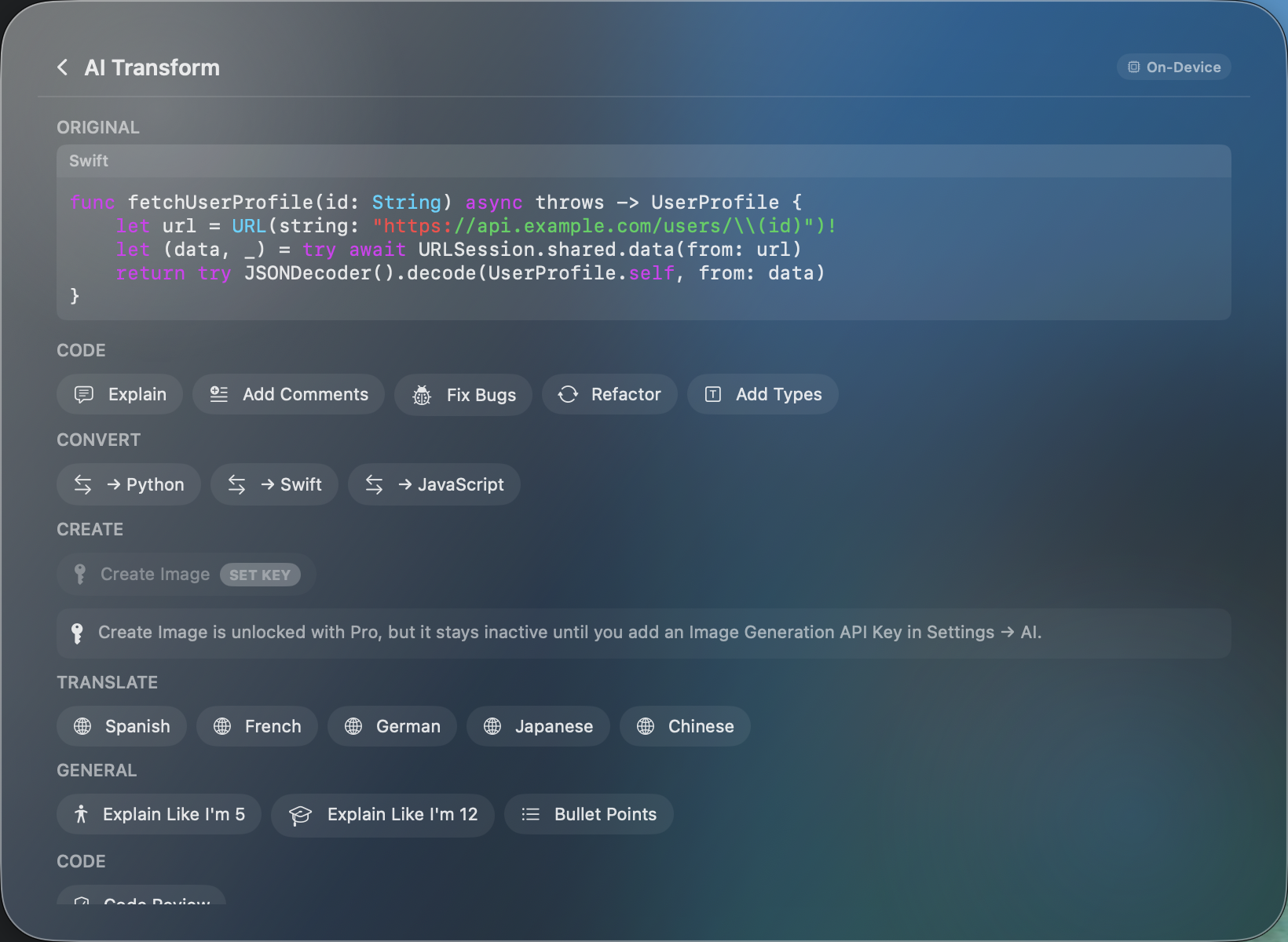
Copy some code, pick a transform, get results in seconds — all processed on-device.
SnipSnapp detects that you copied Swift code and shows relevant transforms — Explain, Add Comments, Fix Bugs, Refactor, Convert to Python/JavaScript, and more.
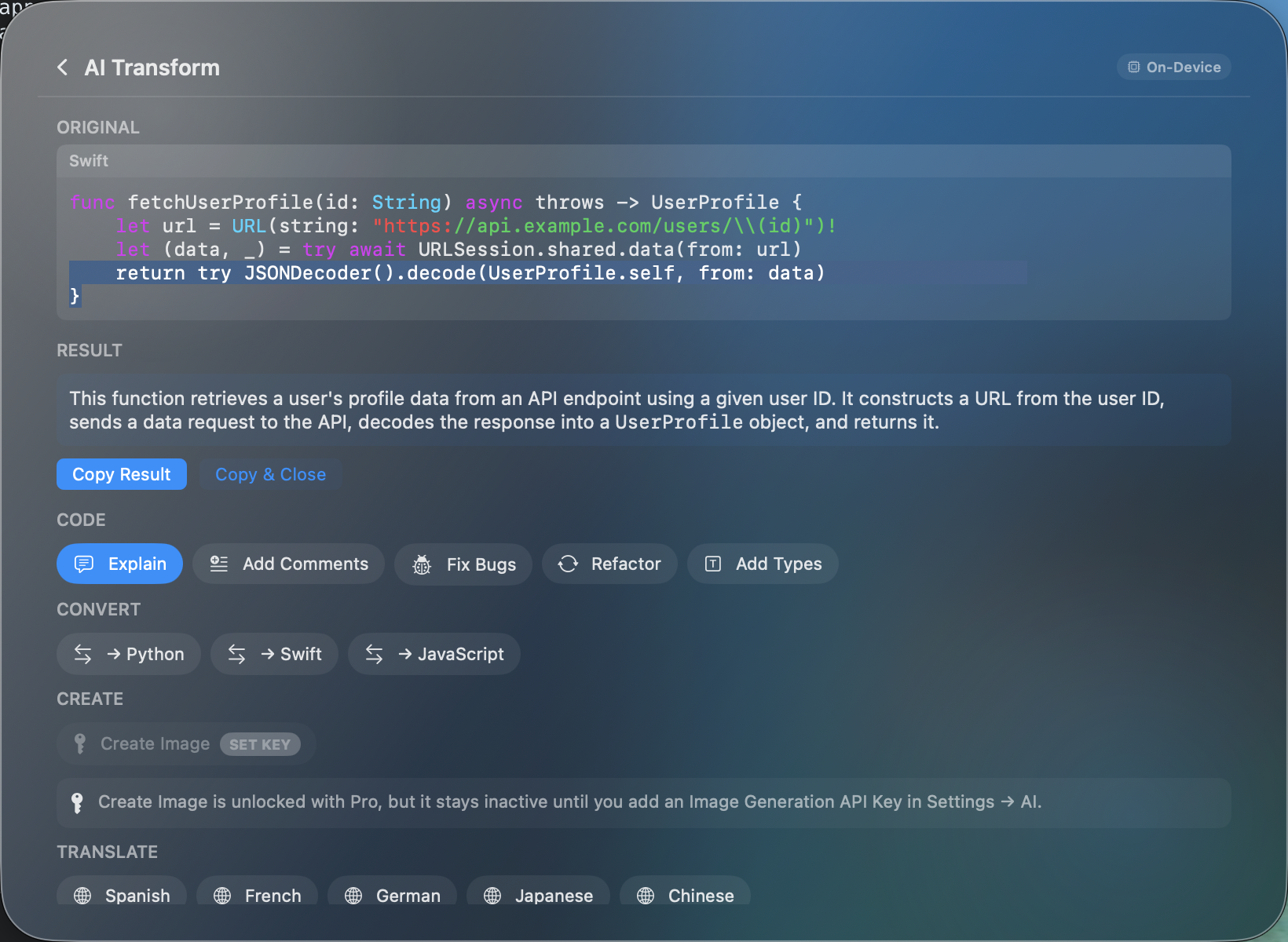
One click on "Explain" and the on-device AI breaks down what the function does — no API key needed, no data sent anywhere. Copy the result or paste directly.
Quick Search is a Spotlight-style window that puts your entire clipboard history a keystroke away. Search, navigate, transform, and paste — all without touching the mouse.
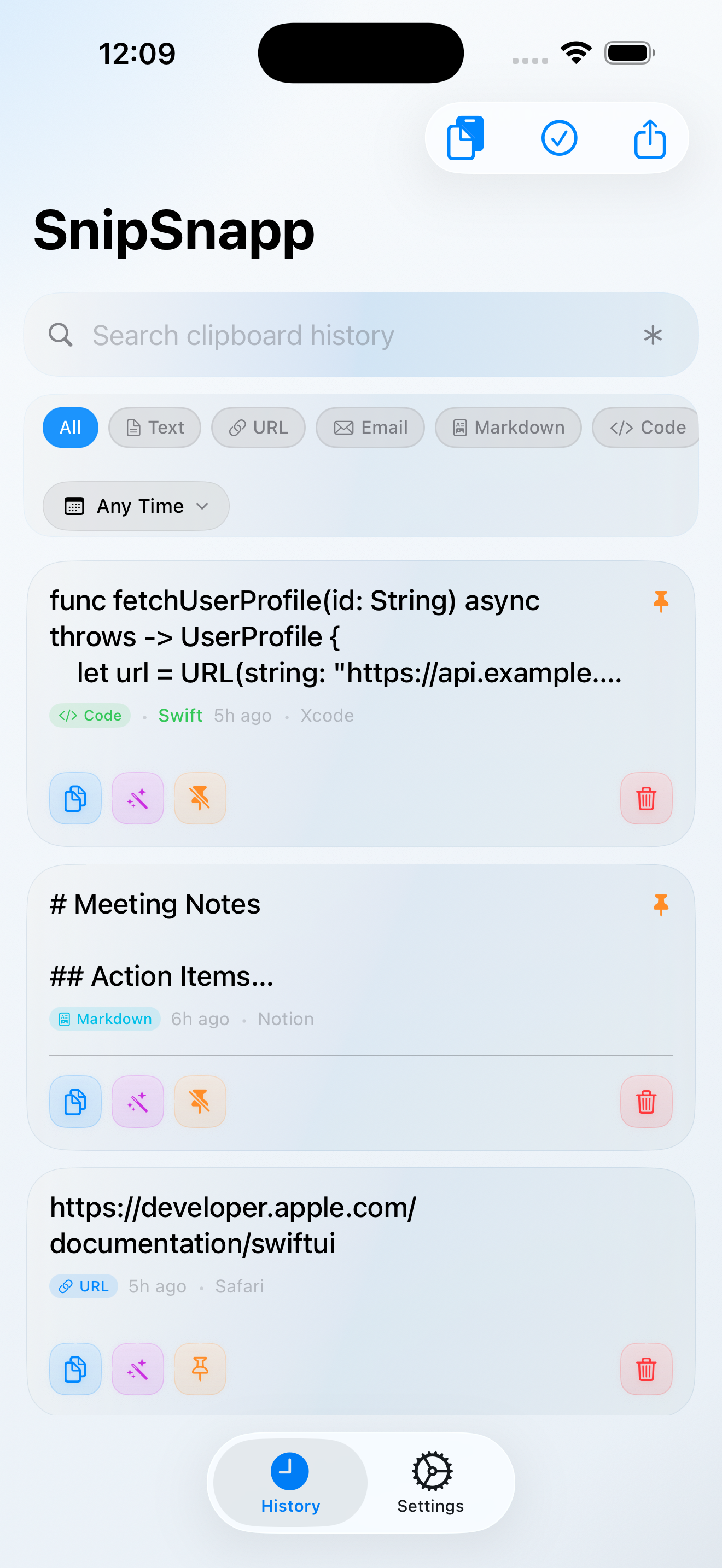
Menu bar on Mac. Companion app on iPhone and iPad. With Pro and iCloud Sync, your clipboard follows you.
Lives in your menu bar. Open with ⌘⇧V anywhere. Supports dark and light themes.
Full clipboard history and AI transforms in your pocket. Import from iOS clipboard or sync via iCloud with Pro.
Spacious layout takes full advantage of the iPad screen. Perfect alongside other apps in Split View.
On-device AI is included free on supported devices. Pro adds BYOK cloud AI, iCloud sync, and cross-device relay for power users.
Download SnipSnapp free. No separate SnipSnapp account required.
Requires macOS 14+ or iOS 17+. On-device AI requires Apple Intelligence support, such as macOS 26+ with Apple Silicon or iOS/iPadOS 26+ on supported hardware.